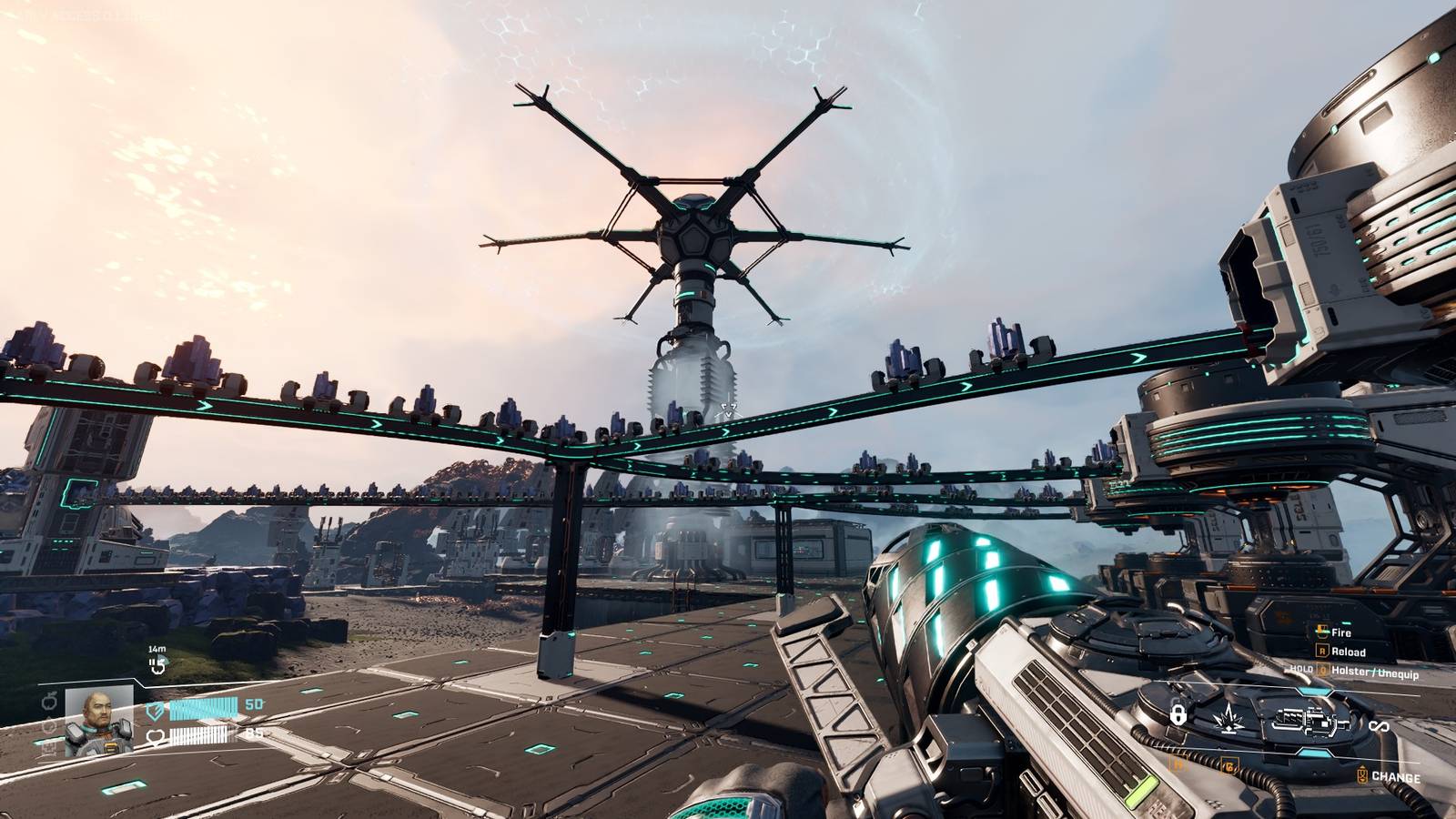
Base building and automation are two of the essential parts of the overall gameplay loop StarRupture. Building factories to produce various materials is the main way to progress through the game's tech tree, but as with all automation-focused games, creating a base that does its job efficiently will be difficult at first. If you are new to games like StarRupturehere are some quick tips to keep in mind as you build your first few bases.

How to destroy buildings and dorms in StarRupture
Demolish buildings and dormitories as you continue to expand your base in StarRupture to improve your layout and make your work more efficient.
StarRupture Base Building Guide

-
Plan your production
-
Field survey
-
Place the base core, extractors and power generators
-
Build a production floor
-
Build the output line
If we were to summarize how the base is built StarRupture should flow, it would be these three steps. They are all pretty obvious, but very easy to miss for players new to the genre. It's not uncommon for new players to focus on creating small production lines that don't use space and available resources, so we'll discuss how you can maximize the resources at your disposal without making a complete mess of your base.
Production planning

Before you build anything, you need to plan your production first. There are tons of materials to craft StarRuptureand some may need different types of resources to create. This drastically affects the complexity of your factory, so before you even lay a single tile or building, you need to have a clear idea of how many machines you need and how your larger logistics network will run.
This step is fairly simple at first, but it gets more complicated when you need to make complex materials, so we'll come back to this step later.
Field survey

-
Work on level ground as much as possible
-
Look for the nearest Monolith
Now that you have a basic idea of what you want to make, it's time to explore the area. Get to a good vantage point and then map the place. Think about where you need to place your extractors and where you can set up a production floor for processing. Ideally, you should build on level ground, but if that's not possible, you'll need to consider building vertically.
Another thing you should always be aware of is the location of the nearest Monolith. Once you upgrade one of your base cores, enemies will start attacking your base at regular intervals. They always seem to come from the Monolith location, so plan accordingly.
Setting up basic kernels and extractors

-
Place the base cores in a good defensive position away from the production lines.
-
Maximize the ore field by placing ore extractors at all possible points.
Core cores are the heart of your bases StarRupture. You can't build anything outside of one and they will keep you and your buildings safe in the event of a Ruptura event. Place it somewhere outside the flow of your materials, but keep it somewhere easy to defend as well.
As for the extractors, place them down on any convenient ore vein, but make sure you point them towards the intended production area. You don't need to build production buildings right next to Extractors. Ideally, you should leave enough space around your ore miners so that you don't end up covering any workable ore fields with base tiles and other buildings.
If you're an Ore Miner you're not spitting out materials, then you're probably overproducing. Either expand your factory or create another railway line.
Construction production floors

-
Start from the highest point of your construction area
-
Leave plenty of room for additions/edits
-
Keep your layout modular
Once you have completed the previous step, build a large floor using basic platforms and support buildings. This is where much of your base automation will take place. Don't be afraid to cover a lot of ground when making a floor, especially if you need to make a lot of things.
Always leave some space between buildings to make room for the dormitories. More importantly, this will keep your factory modular – this is important because StarRupture unlock based on commission. You'll probably need to build and rebuild your factories a lot, especially in the early stages of the game, so it's best to create factories that can accommodate frequent rebuilds.
Output lines

Now that you're pumping out processed materials, you'll need to either send them into space with Orbital Cargo Launchers or take them to warehouses for further processing.
If you want to send materials off-planet, we strongly recommend building multiple orbital cargo launchers. A single Fabricator is good enough to support up to five launchers, and if you want to send things into space faster, you can definitely start scaling up from here.
The warehouse blueprint is unlocked after reaching level 3 with Clever Robotics. As their name suggests, they will store materials for later use. They work similarly to Rail Connectors, with Tier 1 storage having four Rail slots. These are great if you want to create a storage node for easier resource management later in the game. They are also great for building ammunition plants and distribution centers.
More base building tips

-
When placing buildings, press Y on your keyboard to lock the elevation of whatever you place. This makes placing aligned buildings much faster and easier.
-
When placing platforms, press and hold the right mouse button to place more than one tile at a time. This significantly reduces the time needed to produce large production floors.
-
Stairs count as powered platforms. Use this to connect your power grids that are on uneven ground.
-
Rails will transmit power in the same way as platforms. If you don't want to make a long platform bridge just to carry power, make a power cable by connecting two Rail connectors together.
-
Building Drone will make all your construction projects very easy for you. First unlock it by leveling Clever Robotics to 4.
-
Press Z to copy the building you are pointing at with the crosshairs. This way, you won't have to keep opening the build menu to select new building parts.
-
Start small, then build big.
