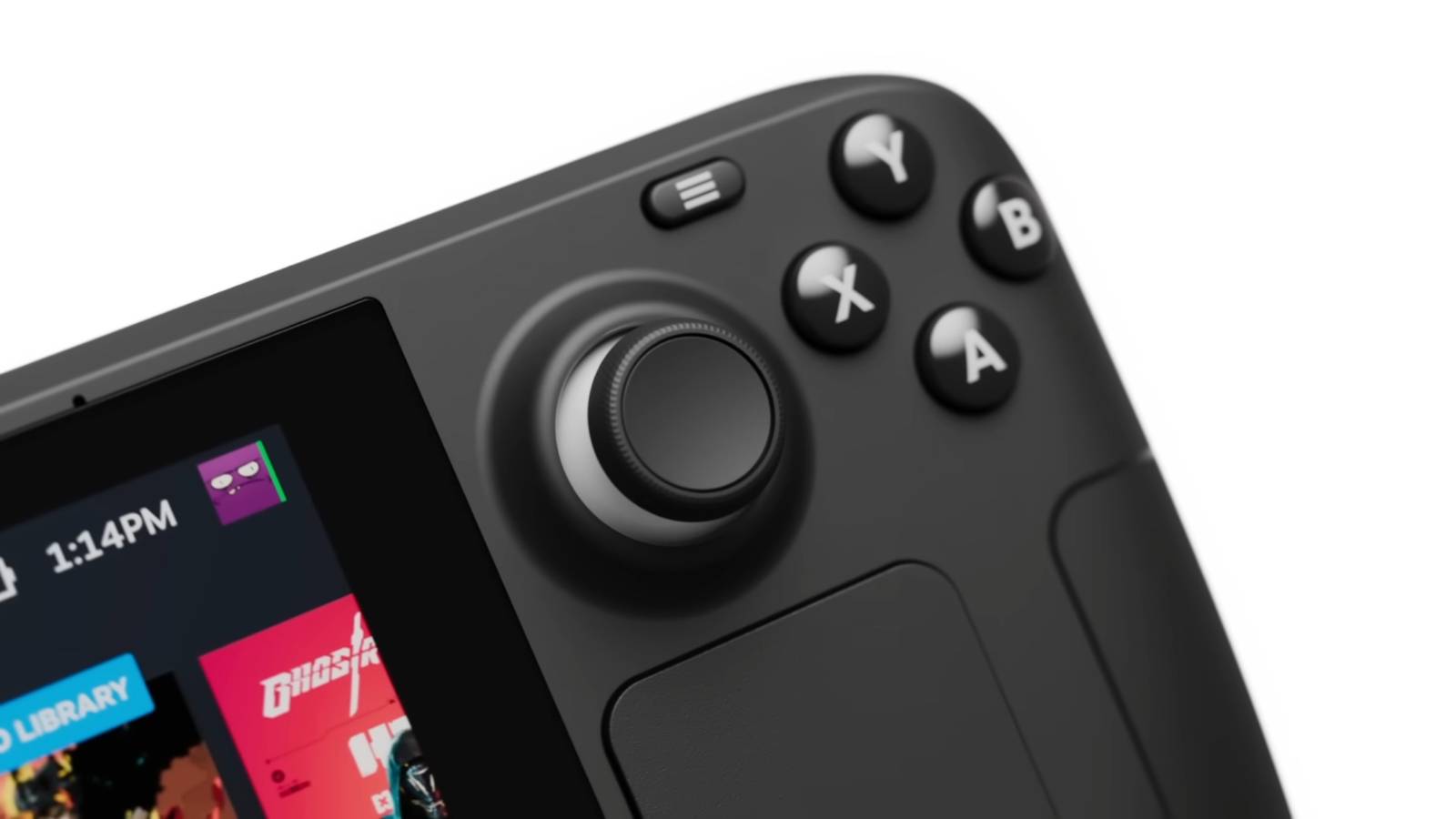
Valve introduced a new Steam Deck an update to the stable channel on April 28 that brings some system improvements. As the company prepares to release the Steam Machine later this year, Steam Deck continues to gain support, adding useful features and fixing annoying bugs for players.
While models like the Nintendo Switch already existed, Valve attempted to carve out its own niche in the handheld gaming space when it released the Steam Deck on February 25, 2022. Part of the console's appeal was its ability to play numerous Steam games on the go. In addition, Valve continued to innovate the design, releasing an OLED model of the Steam Deck the following year. Since its release, regular client updates have been released for the system.

Steam Controller Price, Release Date and Specs Officially Revealed
Valve has finally broken the silence on its latest gamepad as it prepares to enter the competitive hardware market very soon.
Steam Update Brings Chat Improvements and More

A new update for Steam Deck recently came out, bringing various improvements to the handheld. Notably, Valve has made some changes to the chat, making it easier for users to use the feature. According to the patch notes, Steam chat is now accessible via the quick access menu. This allows players to quickly call up a feature during gameplay. In addition, the April 28 update introduced a Quick Chat feature for Steam Deck and Big Picture Mode, which allows users to select short messages using their thumbs that can be sent to other Steam users. These quick chats can be adjusted in Settings and then Keyboard.
What kind of weapon is that?

Identify the silhouettes before time runs out.
Start
Identify the silhouettes before time runs out.
Easy (7.5s) Medium (5.0s) Hard (2.5s) Permadeath (2.5s)
Along with some other chat fixes, the new Steam Deck update added remote download management. With this new feature, users can manage downloads on Remote Steam clients on their device's downloads page. This change could come in handy for those who want to manage their downloads on a currently unavailable system. However, it should be noted that both local and remote clients must be updated to use this feature.
These are just some of the highlights of the April 28 update for Steam Deck. Fixes and improvements have been made in various areas, including game recording, remote play, cloud saves, and Steam Input. All of these changes combined should improve the user experience for those playing on Steam Deck in 2026.

Match the critics' averages
Start
Match the critics' averages
Easy (6) Medium (8) Hard (10)
This Steam Deck news comes as Valve recently provided some updates to some of their future hardware. Specifically, SteamOS developer Pierre-Loup Griffais recently told IGN that “things are going well” as the company prepares to release Steam Machine in the future. While stopping short of announcing a system release date, Valve recently shared details about another of its upcoming products. Specifically, the company revealed that its Steam Controller will launch on May 4 for $99. This latest peripheral will give Steam Deck and upcoming Steam Machine gamers new features to use while playing their favorite games at a lower price than some elite gamepads.
In addition to these updates, Griffais teased that Steam Deck 2 is still in development and said that Valve is “hard at work” on the future handheld. Unfortunately, there is no indication of when this console will be released. At least it looks like Steam Deck will continue to support the company in the meantime.
Steam Deck Client Update: April 28 – Patch Notes
We've just pushed the updated Steam Deck client to the Stable channel.
General
-
Added setting to enable “Switch to desktop” on login screen. You can find it in System Settings.
-
Added low battery toast for wireless gamepads.
-
Added battery indicator to header for wireless gamepads.
-
Updated the Store main menu option to navigate to the Steam Store homepage instead of the Great On Deck hub.
-
Improved compatibility with WiFi captive portals.
-
Improved client performance when there are many unread account notifications.
-
Fixed a case where logging into the “Preview” channel could fail silently.
-
Fixed minor size issues in the Recently Played carousel.
-
Fixed the QAM Voice Chat tab not being hidden after ending all active voice chats.
-
Fixed spell check not working in some browser views.
Chat
-
Moved Steam chat to the quick access menu, making it easier to access in-game.
-
New Quick Chat feature for Steam Deck and Big Picture mode introduced.
-
While in a chat, press and hold the view button to display the quick chat options.
-
To send a quick chat, move the stick and release the view button.
-
Quick chats can be edited in Settings > Keyboard.
-
-
No longer jumps to play buttons with room effect when scrolling through chat history.
-
Fixed a bug that sometimes prevented the chat history from loading when scrolling up.
Downloading
-
Added management of remote downloads. This will allow you to manage downloads on Remote Steam clients from the downloads page. You can select different clients by pressing Y on the download page.
-
The Application Details page now has the same options and states for remote clients as the local client.
-
Both local and remote clients must be updated to enable this feature.
-
Game recording
-
Fixed Instant Clip shortcut not working for non-Steam games when using a gamepad.
-
Fixed a bug that affected taking a screenshot from a game recording clip.
Remote game
-
Added feedback if recording cannot be started on remote computer.
Cloud
-
Fixed an issue that could result in data loss when uninstalling, reinstalling, and playing the game without restarting the client.
Steam inlet
-
Adjusted controller settings to reduce clutter and work better with gamepads.
-
Changed driver settings to use the menu and details structure for the list of connected drivers instead of tabs.
-
Fixed radial menus failing to close after releasing joystick on Steam Deck.
-
Fixed a case where the controller calibration screen could fail to load the correct values when first opened.
